1
Before You Apply for Google for Nonprofits
Gather your PTO or PTG’s EIN, legal name, mission statement, and contact information before starting the Google for Nonprofits application.
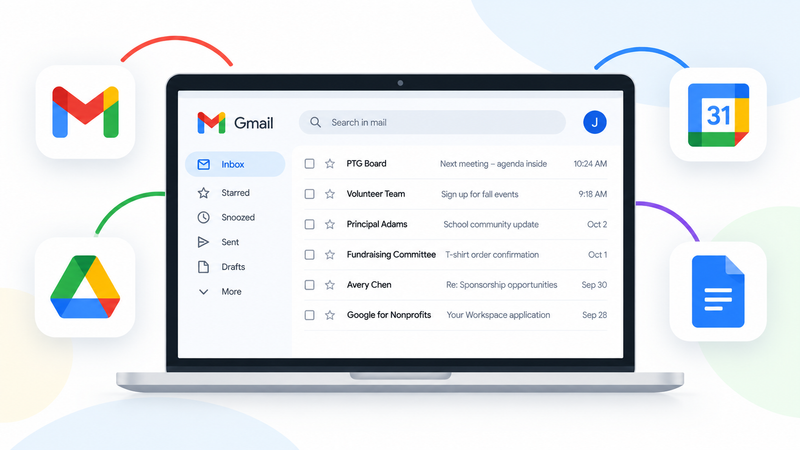
Google Workspace brings together Gmail, Drive, Docs, Sheets, and Calendar with accounts your organization manages. It’s the platform startups and small businesses use, available to eligible parent groups at no charge through Google for Nonprofits.
Give officers and committee chairs dedicated email addresses, keep files together, and let each new volunteer inherit their predecessor’s conversations and work.
An email address like fundraising@yourgroup.com looks more professional than a personal Gmail address. When you ask banks, medical practices, and hospitals for sponsorships, it helps show that you’re representing an established nonprofit raising money for your school community.
Answer questions about your group, and Big Nest will create a personalized application guide.
If something is missing, the guide identifies preparation tasks to complete before applying. Its checks are based on your answers. Big Nest does not independently verify your eligibility or website.
Google for Nonprofits is the program you apply to. Goodstack is Google’s verification partner: it checks nonprofit eligibility and your connection to the organization. After that approval, you create Google Workspace, the email and file system for your group, and submit its domain for a separate activation review.
The first approval does not activate Workspace automatically. Your personalized guide walks through both stages, including returning to Google for Nonprofits to submit the domain. Wait for Workspace approval, then confirm that the nonprofit edition is active at no charge.
For a U.S. PTO or PTG, confirm that the parent group has:
An EIN alone does not establish eligibility. Use the parent group’s nonprofit status, not the school’s or school district’s. If your group operates as part of another organization rather than as a separate nonprofit, check Google’s rules before applying.
Google explains eligibility and group exemptions. If your group has not established its nonprofit status yet, start with the Launch a Parent Group Playbook.
You can begin your personalized guide before your website and domain are ready. Complete those preparation tasks before starting Workspace signup so you do not spend its temporary trial period fixing missing prerequisites. The nonprofit edition is free; your domain and website provider may still charge fees.
Your personalized guide gives you the application answers and walkthrough. These articles explain the requirements, confusing screens, and setup decisions in more detail. Open the one that matches the question you have.
Gather your PTO or PTG’s EIN, legal name, mission statement, and contact information before starting the Google for Nonprofits application.
Set up a domain and a simple PTO or PTG website that clearly connects your organization, its leaders, and its Google Workspace application.
Complete the Google for Nonprofits application for your PTO or PTG and avoid the questions that commonly confuse parent-group leaders.
Set up Google Workspace, verify your PTO or PTG domain, and submit the domain for Google’s Workspace activation review.
Create durable role addresses, protect administrator access, organize files in Shared Drives, and transition from old Gmail accounts while preserving useful history.
Identify whether Goodstack verification, administrator access, domain verification, Workspace activation, or an expired trial is blocking your parent group.
SupplementalGoogle Workspace gives an eligible PTO or PTG email on its own domain, organization-controlled accounts, shared files, and central administration. When officers change, the next board can inherit useful conversations and files instead of rebuilding what the last volunteers knew. This guide is useful even if your group never uses Big Nest.
Yes. Eligible nonprofit organizations can use the standard Google Workspace for Nonprofits edition at no charge. Google also offers discounted paid editions, but you do not need an upgrade to use the standard nonprofit offer.
A U.S. parent group generally needs IRS-recognized 501(c)(3) status or eligible group-exemption coverage. The parent group must qualify separately from the school. An EIN alone does not establish eligibility.
Yes, but use an organization email if you have one. A personal Gmail account may be allowed, but an address on your PTO or PTG’s own domain can make your affiliation much easier to verify.
A domain is your parent group’s web address, such as jeffersonpto.org. Google Workspace uses it to create organization-owned email addresses, such as president@jeffersonpto.org.
A website helps reviewers identify your group during application and verification. For Workspace activation after approval, Google requires a domain with a functional website clearly connected to your nonprofit. You can use the helper before these are ready.
There are two approval stages. Google’s Goodstack guidance says most verification requests are reviewed within 3–5 business days. Later, after you set up Google Workspace and verify your domain, Google reviews the Workspace activation request separately. Google’s Workspace activation guidance says that review can take several days. Watch for emails requesting more information; neither stage is complete just because you submitted the request.